Mad Libs Web App
Objective
Create a Mad Libs web application that lets a visitor choose a story, input words, and read the completed story.
App Overview
NOTE
The examples below are only meant to help explain the functionality of the Mad Libs assignment. Your application does not need to look like screenshots.
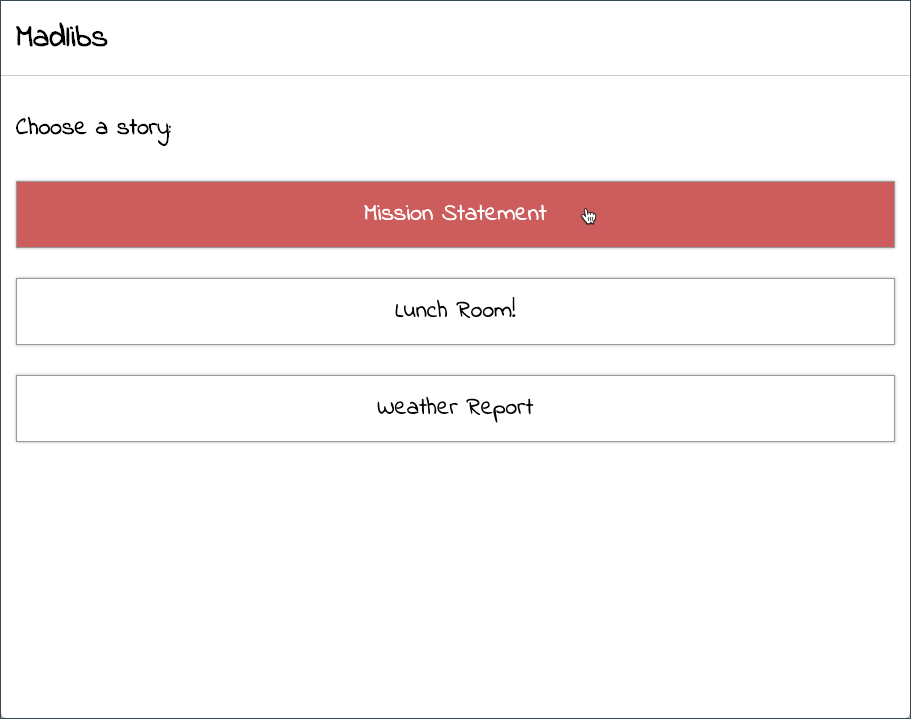
When the visitor comes to the site, they will be presented with a list of story titles. How the story titles are presented will be a matter of preference (a list of links, buttons, a select box, etc).
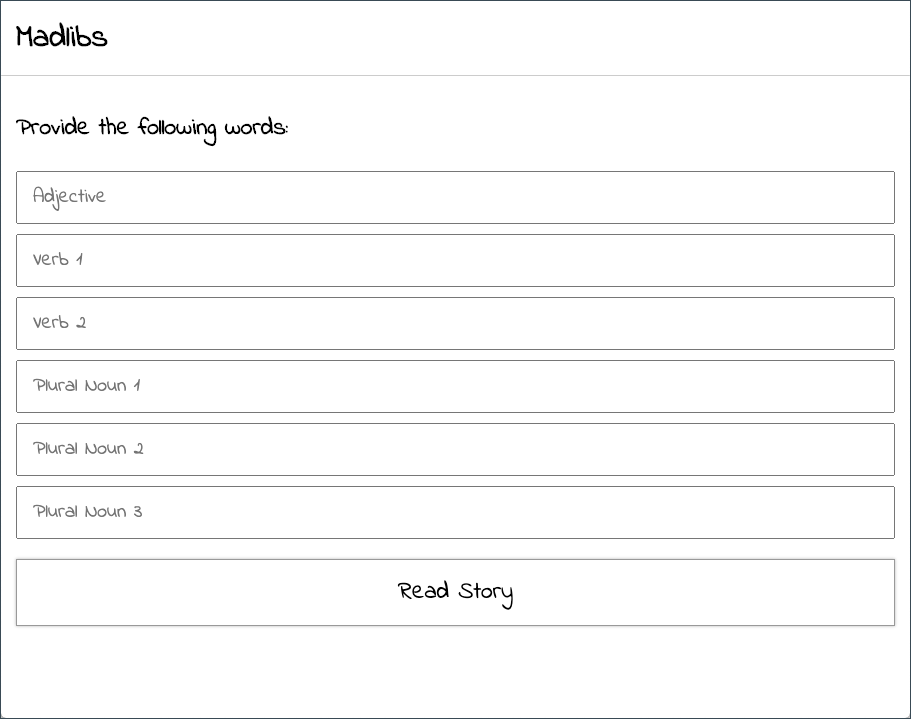
After the visitor has selected a story, a form will appear with a text input for each word in the selected story's words array.
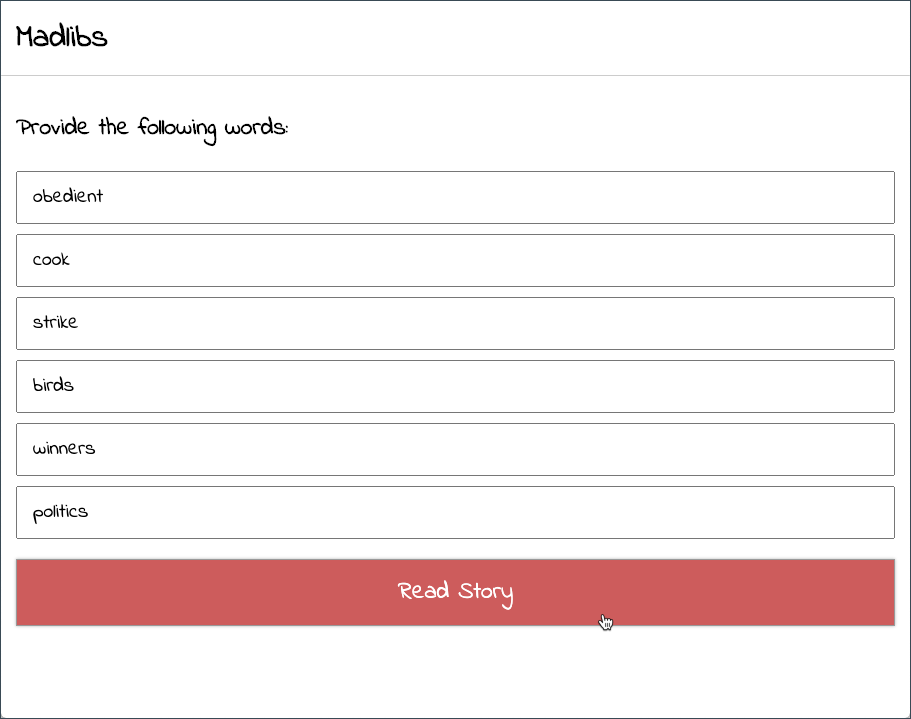
After the visitor has provided words and submitted the form, the completed story will appear.
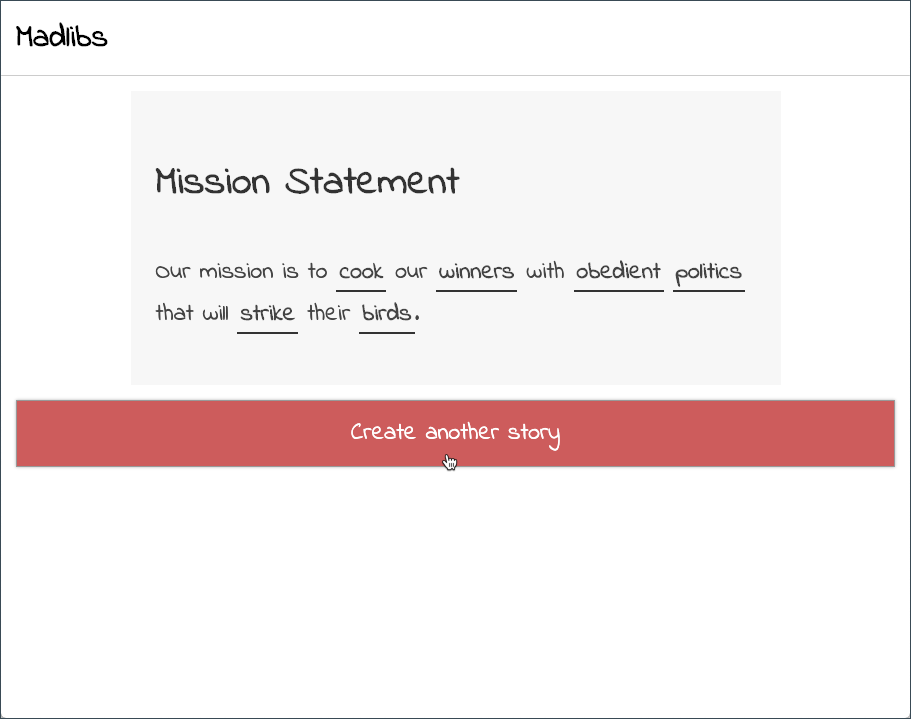
There should be an option for the visitor to create a new story.
Starter Files
The stories.js file will contain the stories variable, which is an array of objects. Each object represents a story and contains a title, an array of required words, and an output function. The words array contains the types of words the visitor must provide. The words array should be used to create the form after the visitor selects a story. The output function will accept an object of words and will return the completed story. Each provided word is wrapped in a <span> tag with the class of word.
Requirements
Your assignment must adhere to the following requirements:
- Naviagate to the starter code and click "Use this template" to copy the starter code to a new repository on your GitHub account. Name the repository mtm6302-midterm.
- Add one HTML (index.html), CSS (style.css), and JavaScript (script.js) file, each located at the root of the repository.
- Your JavaScript code must go in script.js.
- Feel free to use a modern CSS Framework like Bootstrap or Foundation, or a CSS reset (reset.css).
- The web application should be responsive.
- You may not use inline events. All DOM events must be handled using Event Listeners.
- You may not declare variables with
var. Use eitherconstorlet. - The web application should not experience any page refreshes.
- The
storiesarray found in thestories.jsfile must be used and remain unchanged. - The stories presented to the visitor must be added to the page dynamically.
- Selecting a story should dynamically present a form containing inputs for the words of the selected story.
- Submitting the form should not cause a page refresh, but present the selected story with the provided words.
- On the completed story screen there should be an option to create a new story, which will return the visitor to the story options.
Hints
When using the
storiesarray theforloop or afor...ofloop may be used to iterate over each story object.A story's object properties can be accessed by using two sets notation. The first to access the story object within the stories array and the second to access the properties within the object.
// example
console.log(stories[0].title) // Mission Statement
console.log(stories[2].title) // Weather Report
The selected story can be identified by storing its index in the
storiesarray in a custom data attribute.For each word in a story's
wordsarray, an text input should be created. The word type can be used as the input's label, name, or placeholder.
// example
const word = stories[0].words[0] // Adjective
const input = `<input type="text" name="${word}" placeholder="${word}">`
// <input type="text" name="Adjective" placeholder="Adjective">
The
childrenproperty can be used to access the inputs from a<form>element.A story's
outputfunction requires an object of words to be passed to it. The properties of the object should have a key that is a word type and a value that is the word itself.
// example
const story = stories[0]
const words = {
  'Adjective': 'obedient',
  'Verb 1': 'cook',
  'Verb 2': 'strike',
  'Plural Noun 1': 'birds',
  'Plural Noun 2': 'winners',
  'Plural Noun 3': 'politics'
}

story.ouput(words)
Example
NOTE
The above example is only meant to demonstrate the functionality of the Mad Libs assignment. Your project may look very different.
Rubric
Submissions will be graded based on the following criteria:
| Requirement | Marks |
|---|---|
| Repository and files are named and structured correctly | 2 |
| Starter code is utilized correctly and unchanged | 2 |
| The three story options are presented dynamically | 3 |
| Once a story is selected, an appropriate form is presented | 4 |
| On form submission, a story is generated using the input words | 4 |
| An option is given to create a new story | 3 |
| The UI is responsive and well designed | 7 |
| Total | 25 |